Upload immunization records to Magnus Health
- You will be contacted by Magnus Health via email (Please check your spam).You will receive an email notification through your preferred e-mail address that you listed with instructions on how to complete and submit your information to them.
Please contact Magnus Customer Support at 877-461-6831 or service@magnushealthportal.com
Instructions
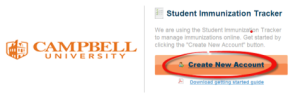
Step 1. Create a Magnus Health Account sent to your preferred email.
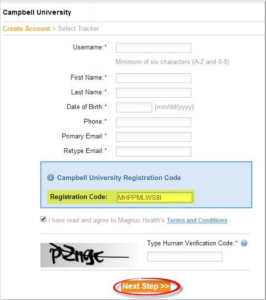
Step 2. Complete all fields, then click “Next Step” (do not change the pre-populated registration code). If you need a new one contact Magnus Health customer service.
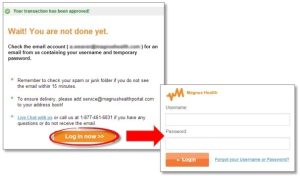
Step 3. Click “Log in now” and enter your username and temporary password. You will then be prompted to create a new password to activate your account.
Completing Your Requirements
Once you’re logged in, you will be shown a brief instructional video, then taken to your Student Immunization Tracker homepage. Here you can view a list of your program requirements.
-
- First, click the “Please Download” or “Print blank forms” link in the yellow box under your name. Fill out the document and save it as a PDF on your computer.
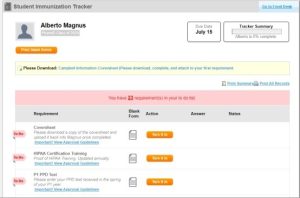
- Next, click “Turn it in” next to the Coversheet requirement. Click “Yes, submit” to submit your immunization record.
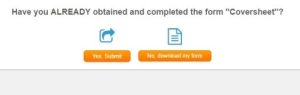
DO NOT click “No, download my form” because you will have to enter it manually.
- Click “Upload” and “Choose File” to browse your computer for a PDF document of the corresponding record, then click “Upload Record.” This will update the status to “Requirement Complete Pending School Approval.”
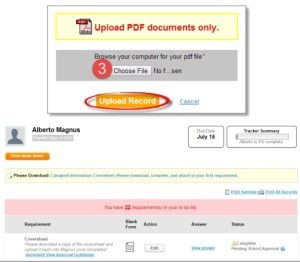
- First, click the “Please Download” or “Print blank forms” link in the yellow box under your name. Fill out the document and save it as a PDF on your computer.